
Biweekly Timesheet Template
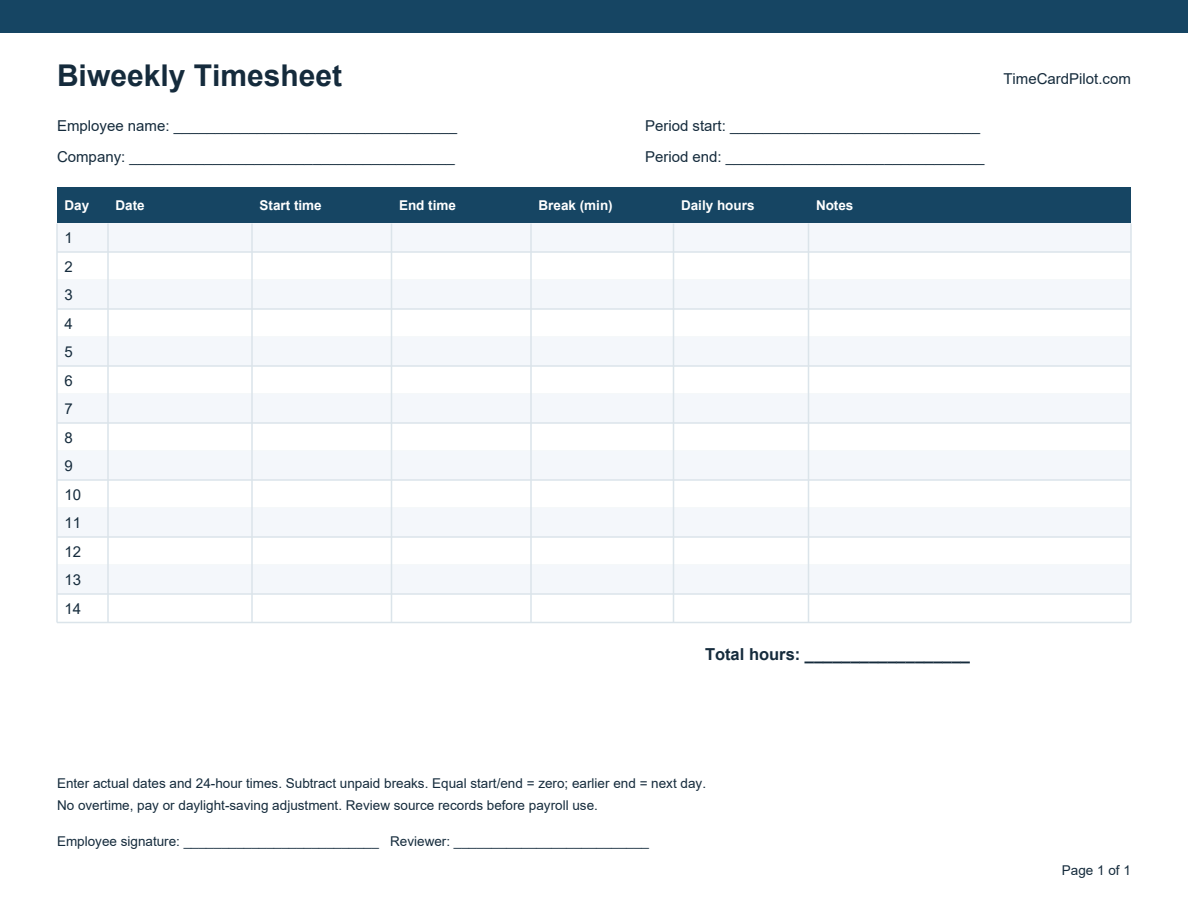
Keep fourteen days of time entries together for a two-week pay period. The downloadable form provides a row for each date, unpaid breaks and a combined hours total.
Preview and downloads
Download printable PDF Download Excel (.xlsx)
How to use this template
- Enter the employee name, company and actual period start/end dates.
- Enter one shift per row using its actual date and 24-hour times. Record only unpaid breaks in the break column.
- In Excel, leave the Hours cells and Total hours formula in place. Input cells use blue text. A CHECK message indicates missing or invalid time/break input; correct it before using the total.
- Review each entry against the original record, then print or save a private copy.
Example: 08:00 to 16:30 with a 30-minute unpaid break gives 8.00 hours. An earlier end time is treated as next day; equal times give zero hours. The Excel formula calculates whole minutes, then divides by 60. Only the displayed hours are rounded to two decimal places.
Printing and calculation limits
The PDF is designed for US Letter landscape printing. The Excel file has a print area, repeated heading rows and landscape setup; use Print Preview in your spreadsheet app before printing. It contains no macros. Calendar dates and signature fields are completed by the user.
These templates total work hours, without calculating overtime, wages or daylight-saving adjustments. The period total may span several workweeks. Break classification and overtime eligibility must be verified separately. Read the calculator disclaimer.
Can I calculate online instead?
Yes. Use the weekly and biweekly time card calculator for multiple intervals, break controls and overtime estimates, or calculate a semi-monthly calendar half.
Are these files free to use?
Yes. No registration is required to download and complete them for your timekeeping records. Filled-in files stay wherever you choose to save them; the blank downloads do not submit time records to this site.