
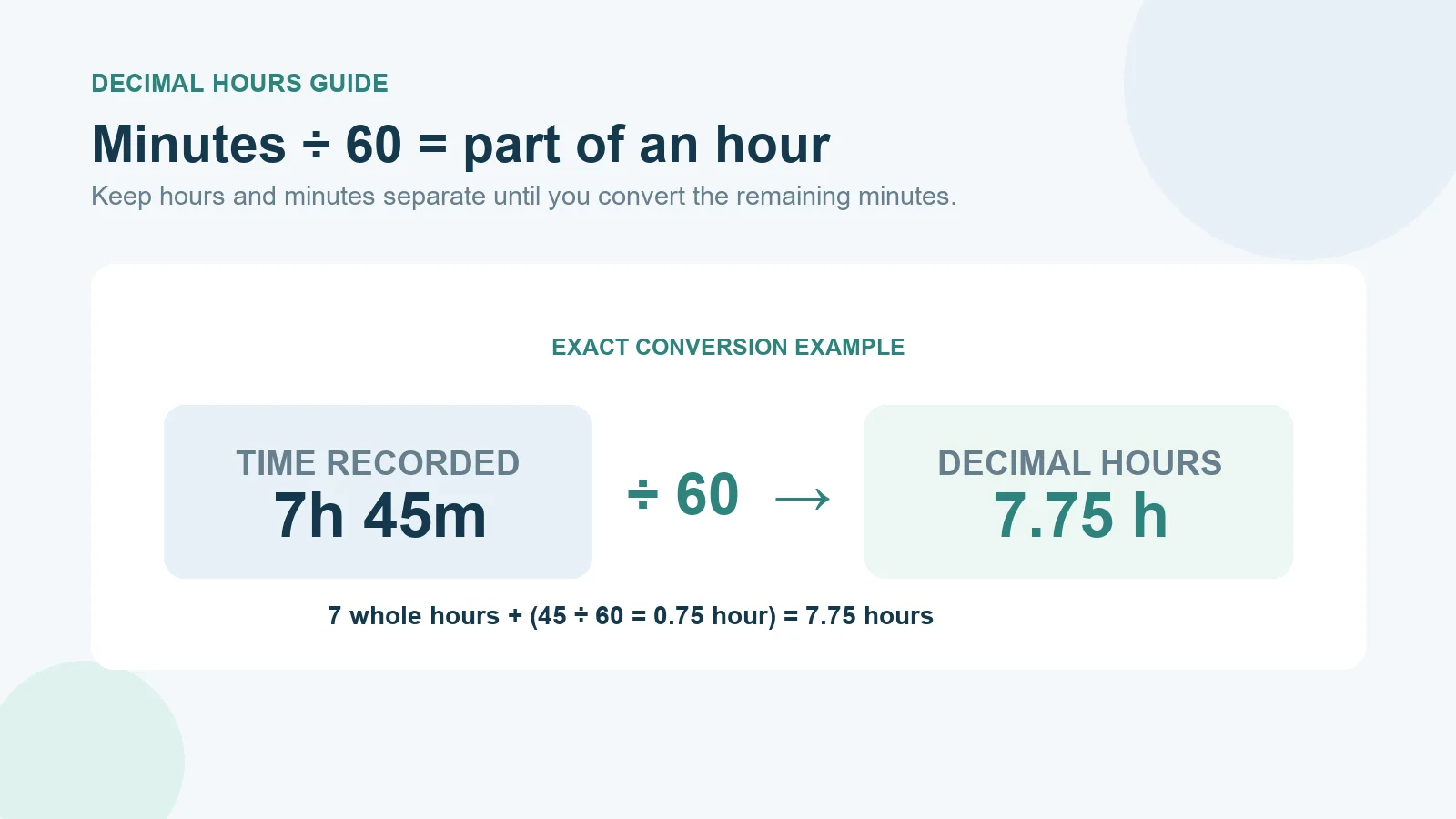
How do you convert minutes to decimal hours for payroll? Divide the minutes by 60 and add the result to the whole hours. For example, 7 hours 45 minutes becomes 7.75 hours because 45 ÷ 60 = 0.75. The decimal is a fraction of an hour; it is not another way to write the minutes.
Use the method below when a payroll field expects decimal hours. Keep the original clock times and the decimal total available for checking. The U.S. Department of Labor says covered employers must keep accurate records of hours worked, but it does not prescribe a particular timekeeping form. Follow your employer’s system and applicable state or local rules for the official record.
How to convert minutes to decimal hours payroll calculations use
Decimal hours = whole hours + (remaining minutes ÷ 60)
First separate the time into whole hours and leftover minutes. Divide only the leftover minutes by 60, then add that fraction to the whole-hour value. If you have minutes only, divide the full number of minutes by 60.
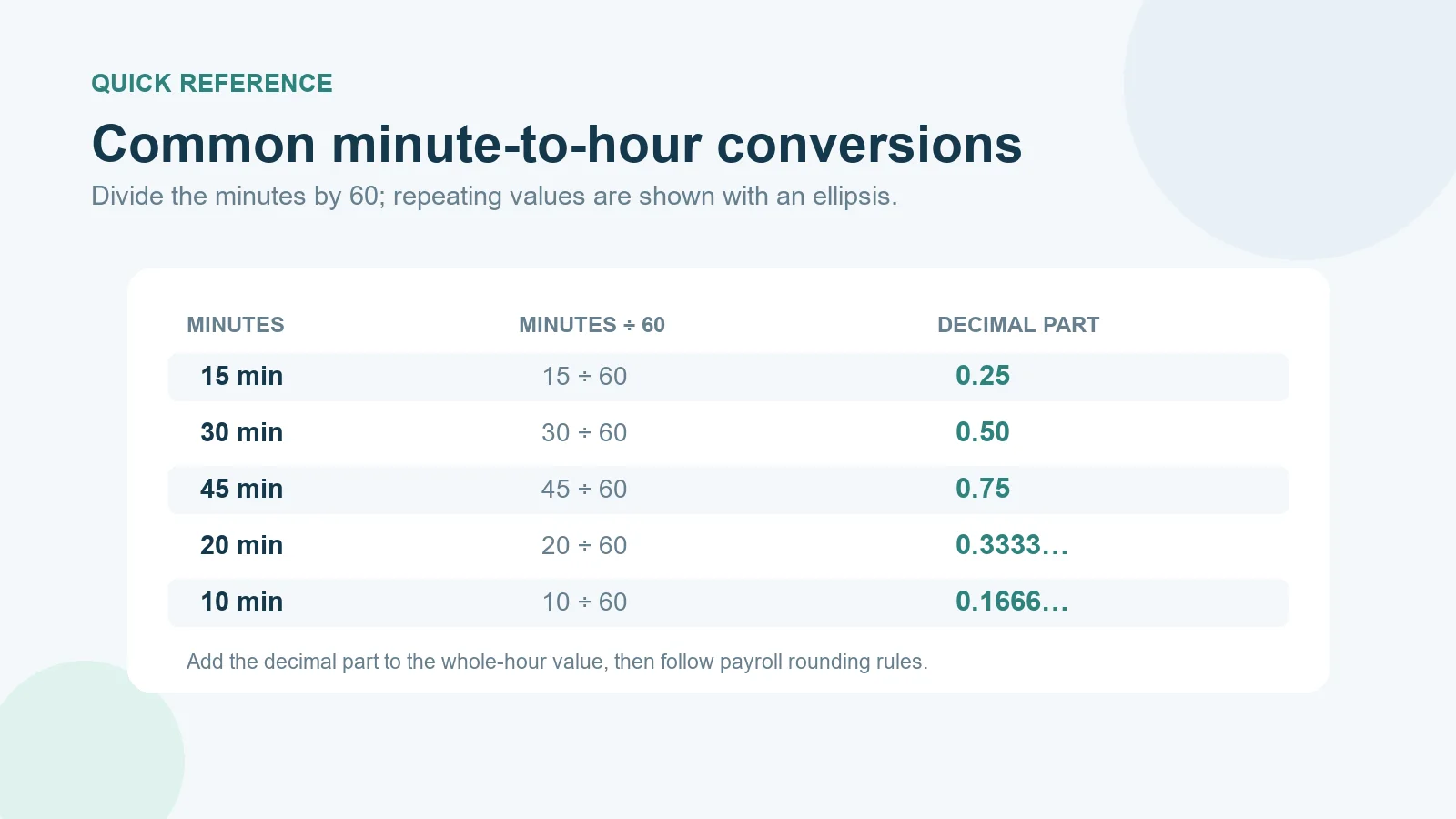
| Minutes | Decimal part of an hour | Example |
|---|---|---|
| 15 | 0.25 | 6 hours 15 minutes = 6.25 |
| 30 | 0.50 | 6 hours 30 minutes = 6.50 |
| 45 | 0.75 | 6 hours 45 minutes = 6.75 |
| 20 | 0.3333… | 8 hours 20 minutes = 8.3333… |
| 10 | 0.1666… | 5 hours 10 minutes = 5.1666… |
Common payroll conversions
- 7 hours 15 minutes: 7 + 15 ÷ 60 = 7.25 hours.
- 7 hours 30 minutes: 7 + 30 ÷ 60 = 7.50 hours.
- 7 hours 45 minutes: 7 + 45 ÷ 60 = 7.75 hours.
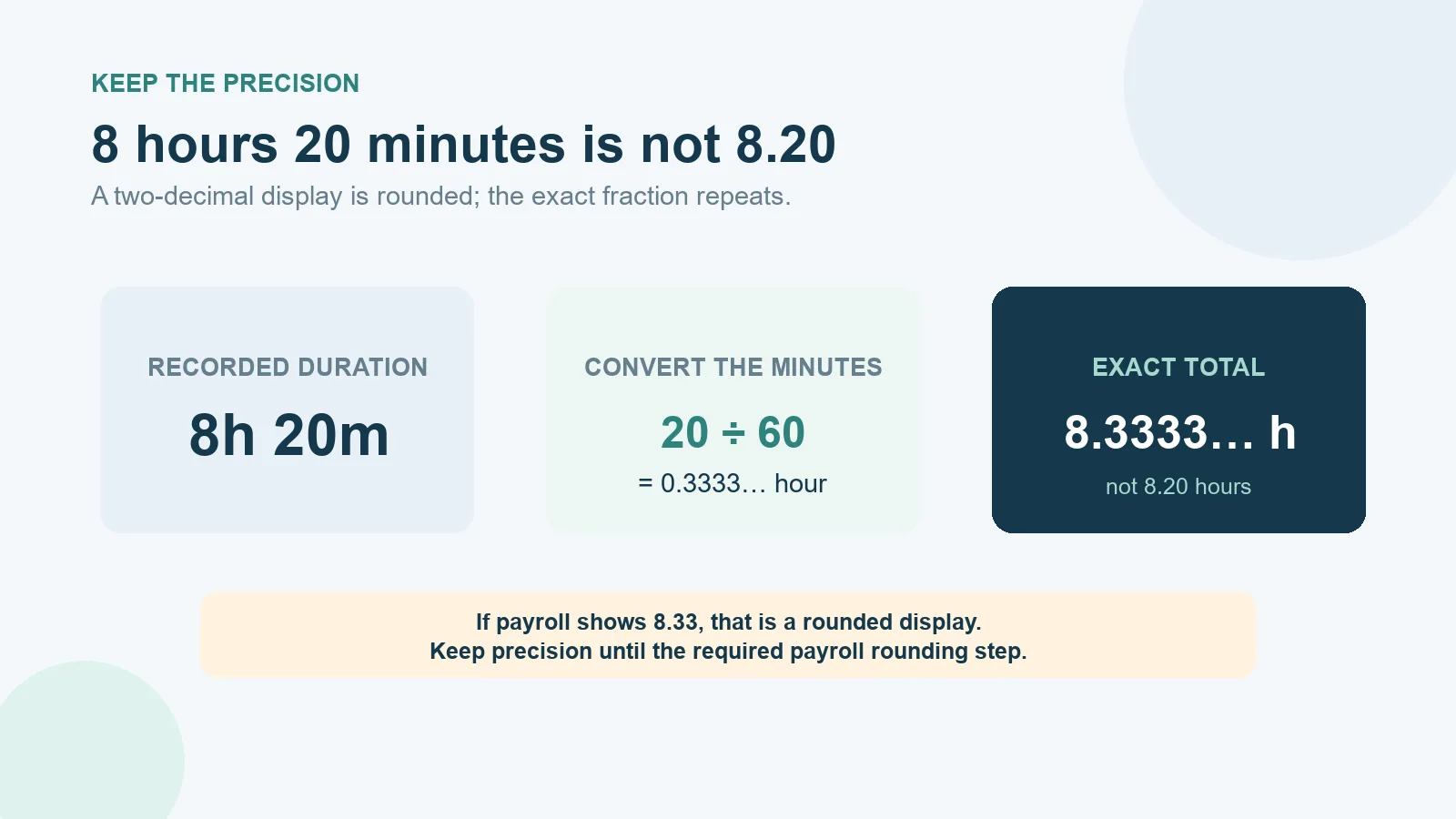
- 8 hours 20 minutes: 8 + 20 ÷ 60 = 8.3333… hours. If a system displays two decimal places, it may show 8.33; use the precision and rounding rules specified by the payroll system.
- 37 hours 45 minutes for a week: 37 + 45 ÷ 60 = 37.75 hours.
The repeating decimal matters. Eight hours and 20 minutes is exactly 25/3 hours. If you round it to 8.33, the displayed value is a rounded representation. Avoid repeatedly rounding each shift before adding a pay-period total unless the payroll system requires that process.
Why 7:45 is not 7.45
Clock notation and decimal notation use different bases. In hours-and-minutes notation, the digits after the colon count minutes out of 60. In decimal hours, digits after the decimal point count a fraction of 100 only as a written decimal number; the fraction still represents part of an hour.
So 7:45 means 7 hours and 45 minutes, which is 7.75 decimal hours. Entering 7.45 would mean 7 hours plus 0.45 of an hour: 0.45 × 60 = 27 minutes. Likewise, 8:20 is 8.3333… hours, not 8.20 hours.
Convert a shift before entering payroll hours
- Write down the actual start and end times for each work period.
- Calculate elapsed time for each period, including an overnight date change where needed.
- Subtract only a break that is correctly unpaid under the applicable policy and law. Under federal guidance, a meal period is generally unpaid only when the employee is completely relieved from duty.
- Express the resulting hours and minutes as a decimal using minutes ÷ 60.
- Keep sufficient decimal precision until the payroll system’s defined rounding point, and compare the result with the source punches.
Example: a shift totals 7 hours 45 minutes after accounting for a qualifying unpaid meal period. Convert the 45 minutes: 45 ÷ 60 = 0.75. The payroll entry is 7.75 hours. If the worker performed duties during the supposed unpaid meal, do not automatically subtract that time; record what actually happened and ask the supervisor or payroll team how to correct the time record.
Check a weekly total
Add the underlying minutes before converting when practical. If three shifts are 7:45, 8:20, and 7:55, their total is 24 hours. The minutes add to 120, which is another 2 hours, so the total is 24.00 hours. Alternatively, convert each shift without premature rounding: 7.75 + 8.3333… + 7.9166… = 24.00.
Keep a distinction between a pay-period total and a workweek total. Overtime rules often examine hours in a fixed workweek, not just the number printed on a biweekly paycheck. Use the workweek and overtime method that applies to the employee; a decimal conversion by itself does not determine overtime eligibility or pay.
Accuracy checklist
- Confirm the source time is written as hours and minutes, not already-decimal hours.
- Divide minutes by 60; do not move the decimal point or divide by 100.
- Use the same precision and rounding procedure across entries.
- Reconcile the entered total against the recorded start, stop, and break times.
- Keep the employer’s required time record complete and accurate.
For a quick check, use the TimeCardPilot decimal hours calculator. If you need elapsed shift time before conversion, the work hours calculator can help compare clock intervals. These tools assist with arithmetic; they do not replace the employer’s official record or determine which breaks are legally unpaid.
Frequently asked questions
How do I convert minutes to decimal hours?
Divide the minutes by 60. For 35 minutes, 35 ÷ 60 = 0.5833… hour; add that to any whole hours.
What is 7 hours 45 minutes in decimal hours?
It is 7.75 hours because 45 ÷ 60 = 0.75. Do not enter 7.45 unless the system explicitly uses an hours-and-minutes format.
What is 8 hours 20 minutes as a decimal?
It is 8.3333… hours. A display of 8.33 is rounded to two decimal places, so follow your payroll system’s precision rules.
Should I round every shift before adding the week?
Use the payroll system’s stated method. When allowed by the system, retaining precision until totals are calculated avoids accumulating small display-rounding differences.
Does a decimal-hours conversion decide overtime?
No. It converts a duration into another numeric format. Overtime depends on the applicable law, employee coverage and classification, and workweek records.
Sources and scope
This guide explains arithmetic and general federal recordkeeping context. The Department of Labor’s fact sheets provide general guidance; state and local rules, collective agreements, and employer procedures may add requirements. Last updated: November 15, 2026.